QU Electronics Puzzle
An interactive block-based electronics & physics puzzle game developed by Savad K.S for Pedagotech Subjectiv Pvt Ltd and published on Google Play — bridging theoretical STEM education and practical circuit design through 100+ puzzle levels, real-time circuit simulation, and Arduino serial hardware integration.
Project Overview & Vision
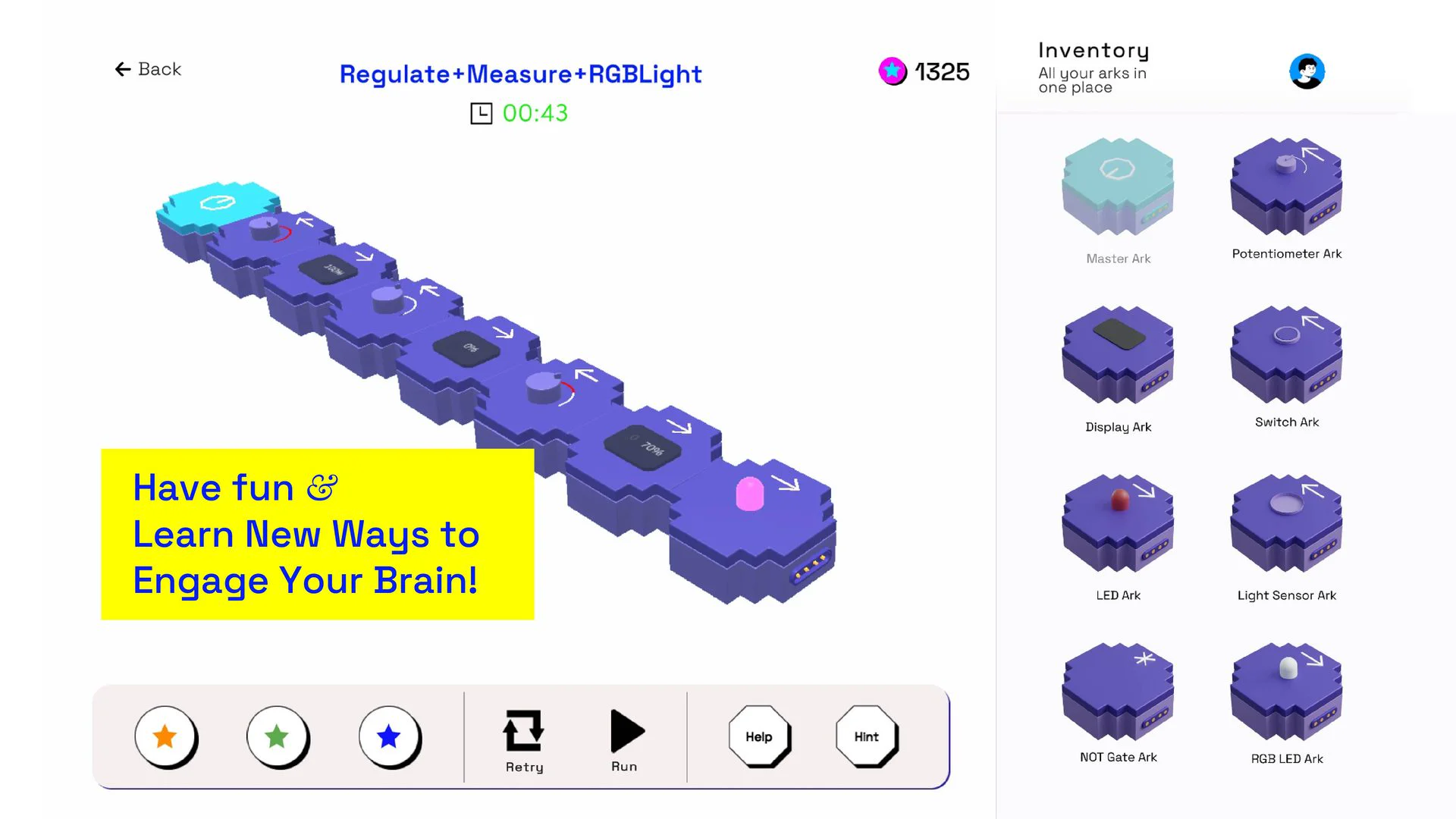
QU Electronics Puzzle is an innovative edtech mobile title designed to make learning electronics and physics engaging, tactile, and intuitive. Developed by Savad K.S for Pedagotech Subjectiv Pvt Ltd and published on Google Play, QU transforms complex electrical engineering principles — such as Ohm’s law, Kirchhoff’s current laws, logic gate operations, and breadboard routing — into rewarding, progressive game puzzles.
Powered by the LDIT (Learn, Discover, Innovate, Transform) framework, QU provides both digital circuit simulation and physical hardware connectivity. By linking real-world Arduino microcontrollers through serial communication to the Unity engine, players can physically wire breadboard circuits on a desk and see their physical configurations immediately validated inside the game world.
My Technical Role & Implementation
As the Unity 3D Developer & IoT Integration Lead, I was responsible for architecting the core simulation mechanics, implementing the hardware communication layer, and designing the interactive puzzle gameplay pipeline:
Real-Time Circuit Solver Engine
Engineered a nodal analysis and circuit simulation algorithm in C# that models voltage drops, current paths, component resistances, and logic gate truth tables dynamically without latency, providing immediate visual feedback to the player.
Arduino & Serial Communication
Developed a robust bidirectional serial communication protocol (UART) connecting external Arduino microcontrollers and physical breadboard sensors to the Unity application, allowing physical wire contacts to control in-game puzzle states.
Touch-Optimized Breadboard UI
Built an intuitive drag-and-drop circuit building interface tailored for mobile and tablet screens. Features snap-to-pin alignment, auto-routing jumper wires, component rotation, and instant short-circuit warning indicators.
Diagnostic Tools & Multimeter UI
Designed interactive virtual testing instruments, including digital multimeters (voltmeter, ammeter, ohmmeter) and test probes, enabling learners to troubleshoot faulty circuits and verify experimental values against theory.
The Learning & Puzzle Experience
-
01
Circuit Challenge Presentation
Players receive a real-world electronics scenario — from simple LED lighting circuits to complex transistor switches, sensor comparators, and multi-stage logic networks.
-
02
Component Placement & Wiring
Players position resistors, capacitors, diodes, ICs, and jumper wires onto the virtual breadboard or connect physical components to the Arduino trainer board.
-
03
Live Simulation & Diagnostic Testing
Powering up the circuit activates dynamic current flow animations and allows players to probe nodes with virtual multimeters to measure voltages and locate electrical faults.
-
04
Solution Verification & QuChips Progression
Once the circuit achieves operating parameters within target tolerances, the system validates the solution, displays celebratory effects, and awards QuChips for unlocking advanced levels.